
Copy files using the visual interface
The CGC has three file repositories including TCGA data and public reference files. To run an analysis on a file, the file must be copied to a project.
Adding files to a project
To use the file picker to add file to a project:
- Navigate to the project.
- Click on the Files tab.
- Click Add Files and select Public Files. Alternatively, you can select Projects to copy files from one of your existing projects.
Copy files to a project
To add files to a project:
- Select the checkbox next to your desired file(s), as shown below.
- Click Copy .
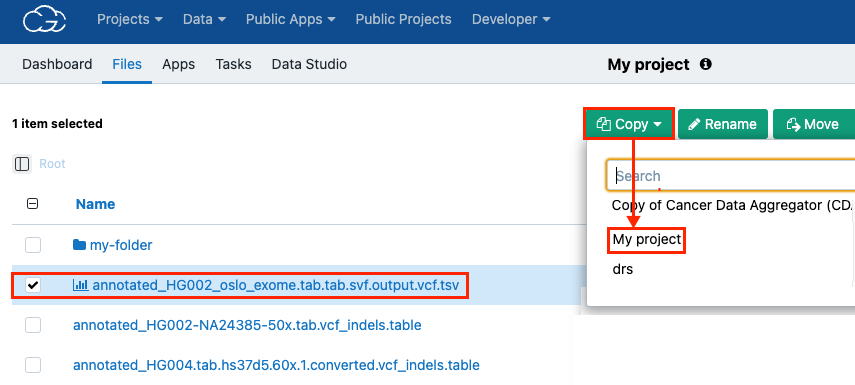
- (Optional) Tag your file(s).
- Click Copy to confirm copying the file(s) to your project.
Updated 3 months ago